Orchestration with review
Planner, executor and an independent reviewer, each in its own session — even on different models. A gate between tasks and a final branch review before push.
Claude Code, Codex, Pi, omp and Kimi Code in one native window — and on your phone. The agents keep running on your machines; Hangar is the control tower.
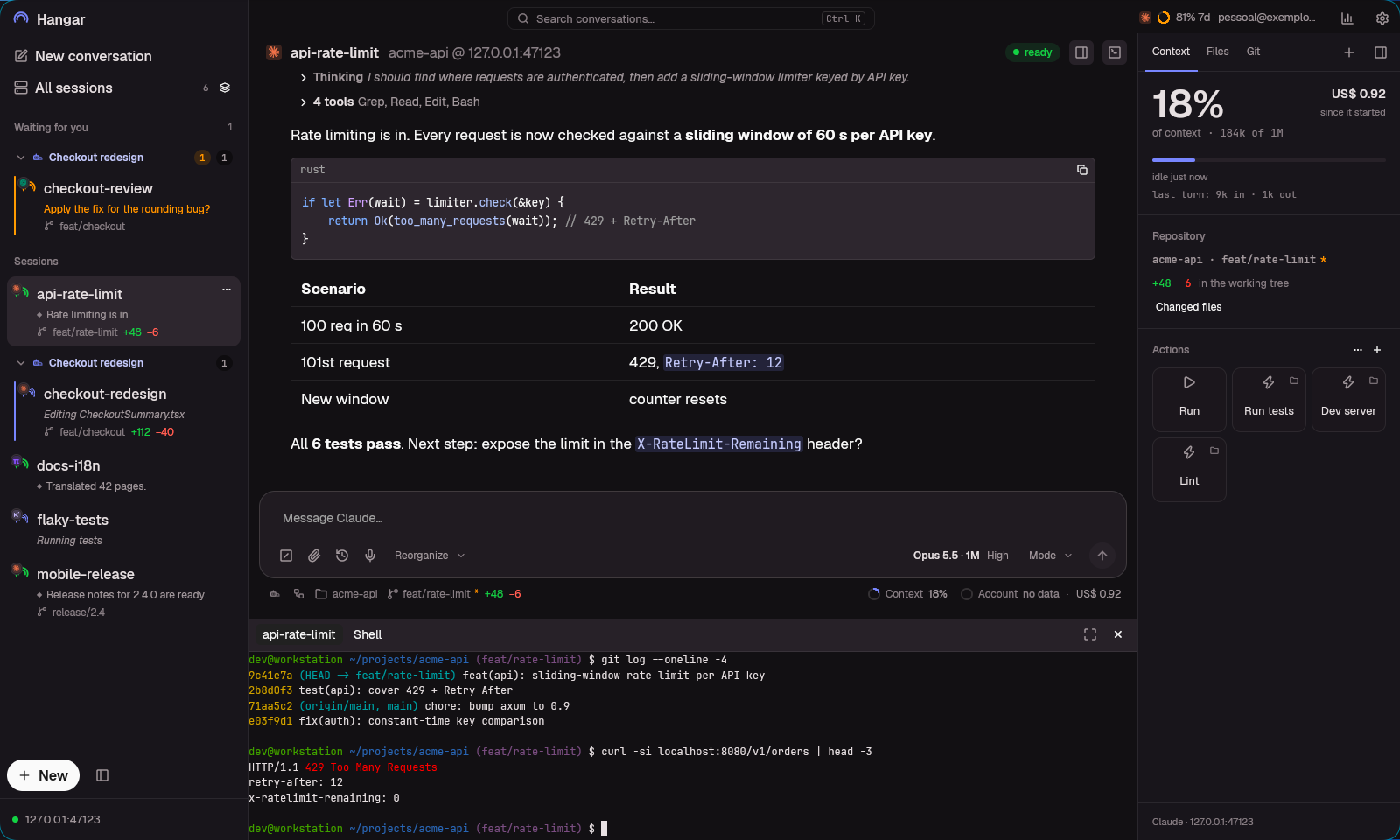
Claude writes the webhook while Pi translates, Kimi runs tests and Codex calls you from the sidebar.
Hangar native app: Claude, Codex, Pi and Kimi sessions in the sidebar and a conversation with tool calls and code
No new tool to learn
Hangar doesn't reimplement any agent. Each session is the original CLI — your skills, hooks and accounts — running in tmux. The app reads the conversation and sends what you type.
tmux attach and you are back in the TUI, same conversation, with everything answered from the app.claude in a terminal and the session shows up in the app. Or create it in the app and open it in the terminal later.Built for many agents at once
Planner, executor and an independent reviewer, each in its own session — even on different models. A gate between tasks and a final branch review before push.
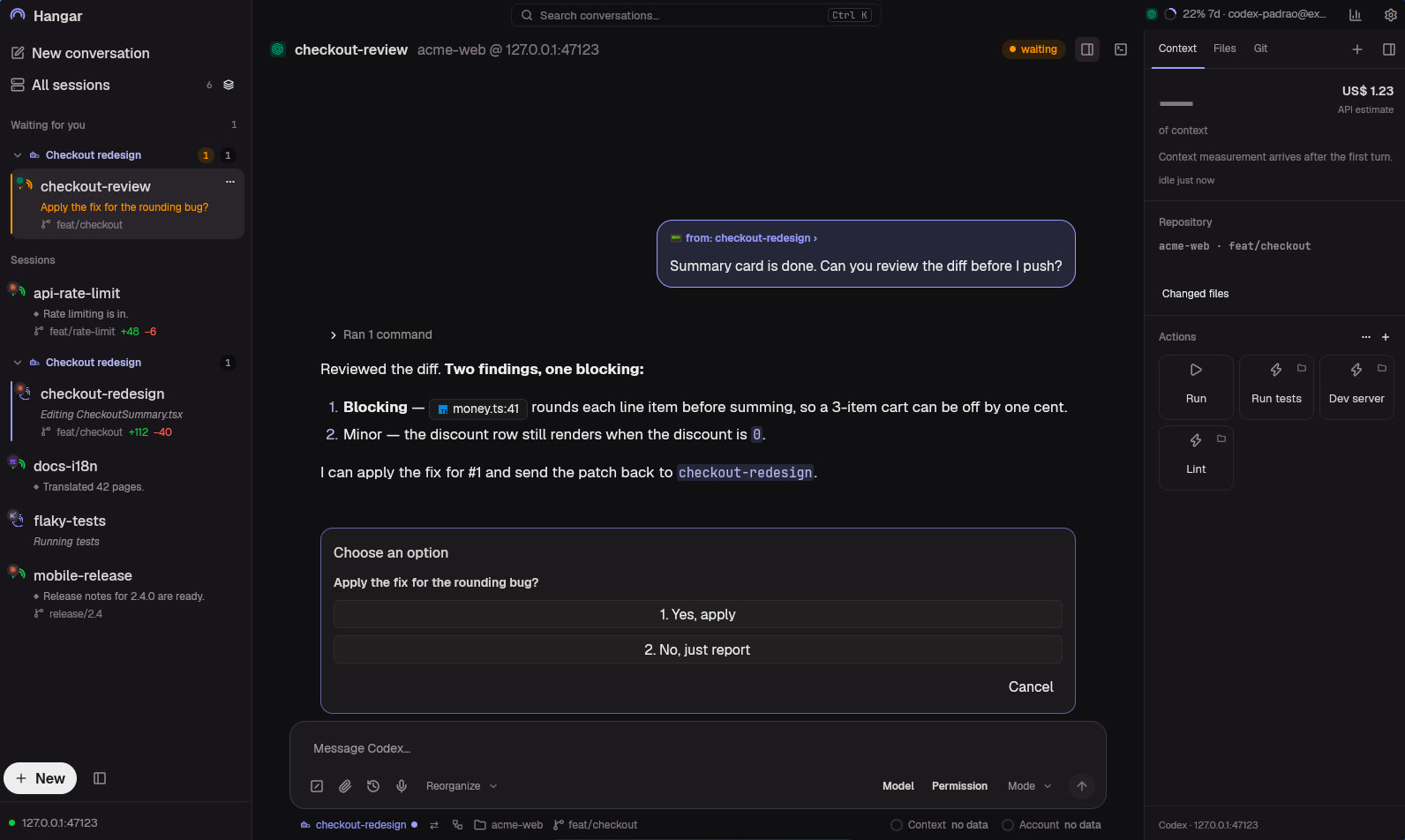
One agent messages another, agrees on a contract and reports when it is done. Pair two sessions or build a group with a shared contract.
The original TUI runs in tmux. Open the terminal under the session and type wherever is handier.
The agent opens the page it just changed, clicks, fills the form and takes the screenshot. You watch next to the conversation.
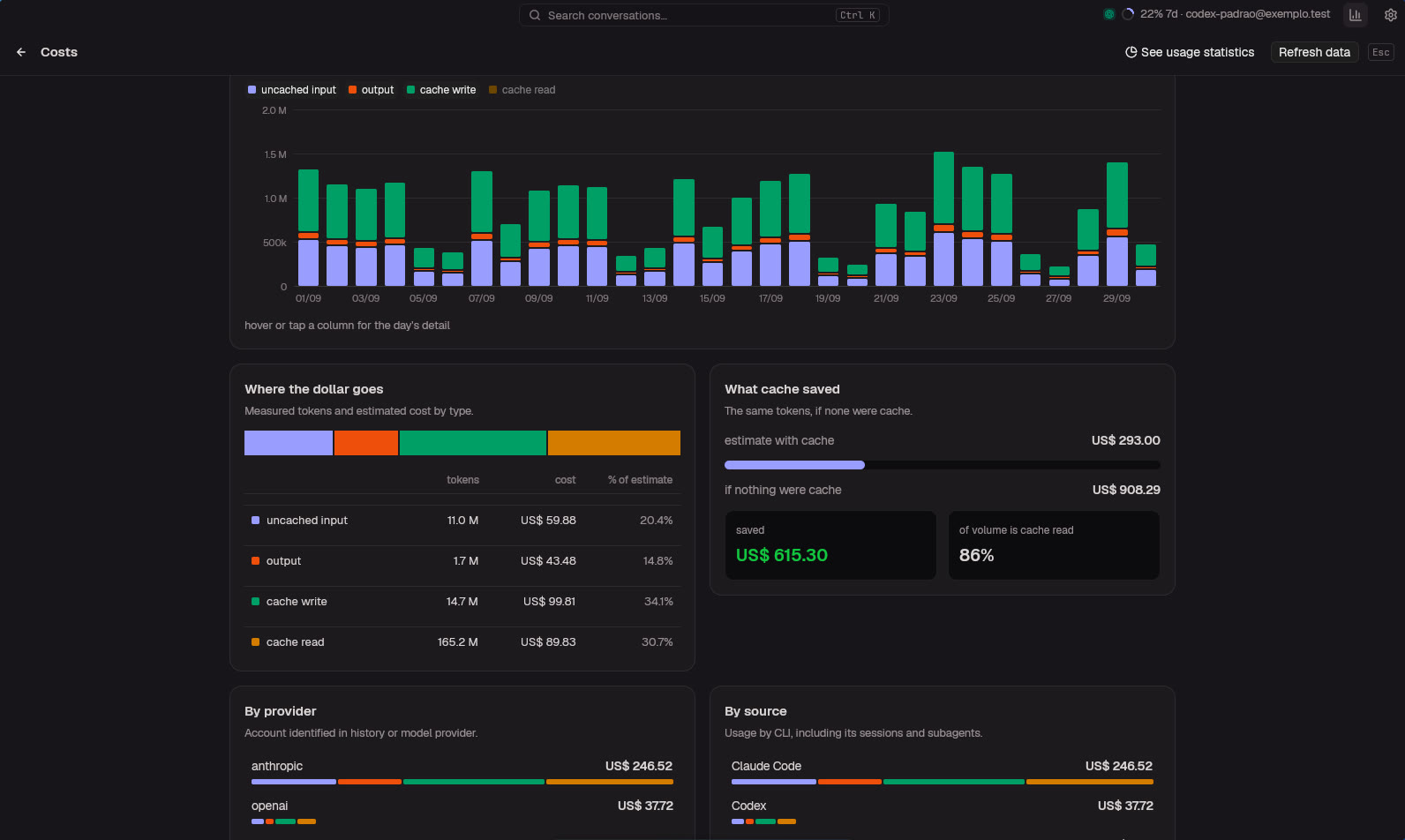
One button opens a new session — on another account, model or CLI — already knowing what the current one was doing. The handoff is built from disk, without spending model tokens. And every account’s quota is in sight, with its reset time.
Checkbox staging, per-file discard, history with graph and search, cherry-pick and revert per commit.
Live and closed. Found it? Resume the old conversation on the right account.
Stuck on “working” without progress? You get a notification.
Dictate prompts without the ums, file names intact. Have answers read aloud.
Run a Claude session on another provider and keep skills, hooks and history.
A kanban by state — needs you, working, ready — or a free canvas of windows.
Send someone a link to follow one session without exposing the rest of the machine.
Through the Hangar MCP, an agent creates sessions, lists its group and talks to the others.
Every prompt is a restore point: roll back the code, the conversation, or both.
Across machines
Install Hangar on each machine and link them over your LAN or Tailscale. Every session shows up in one list, and an agent on the desktop talks to an agent on the laptop.
Native app, in Rust
GPU-rendered, no browser underneath. Long conversations scroll smoothly, dozens of sessions fit in the list, and the app updates itself from the top bar.
In your pocket
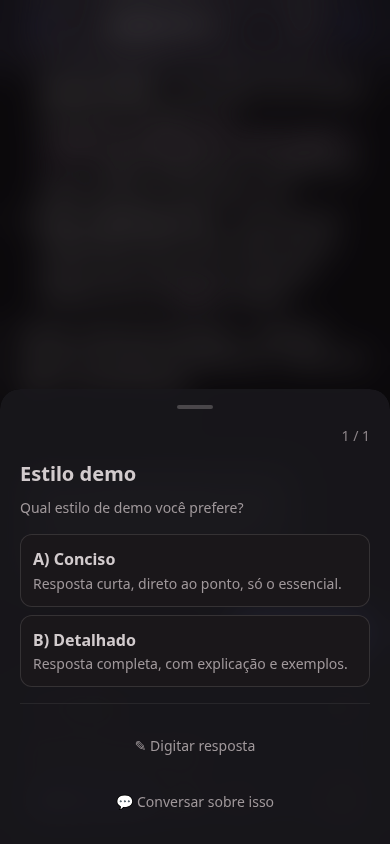
Answer the question that blocked the agent, approve a permission, interrupt, send the next prompt or dictate it. On your home Wi-Fi, or anywhere over Tailscale.
How it works
One command sets up the Hangar server and session shortcuts on the computer where Claude, Codex and the rest already run.
The native app on the desktop. For the phone, the installer shows a QR code: scan it and you are in.
Pick a folder, agent and model. Sessions you already had open in the terminal show up on their own.
Free and open source. The installer sets up the server and brings the native app for your platform.
curl -fsSL https://raw.githubusercontent.com/jeffer1312/hangar/main/bootstrap.sh | bashRequires tmux and at least one agent installed. Binaries are unsigned: on macOS, right-click to open the first time.